Project Mini Rack
Homelab Homelab / ˈhoʊm.læb / noun A personal IT environment where individuals can experiment, learn and test various technologies. A server (or multipl...

Homelab / ˈhoʊm.læb /
noun
When I look back and think about it it wasn’t long after my first sys admin job that I ended up with a homelab in my place. There was lots of old hardware are work headed for recycling and it was pretty easy to build something running TrueNAS, PFSense, ESXi, Hyper-V, or just about anything.
I would run virtual machines of Windows Desktop, Windows Server, various Linux distros, deploy software I wanted to learn more about and try things in my own environment to get more comfortable with them. Things would come and go, but some things stuck around.
Sometime in 2015 I set up Owncloud on a Dell desktop that was destined for the recycler and played around with it at work. I liked having my own server to host my files on and appreciated the idea of breaking dependency on services from companies like Dropbox and Google. In 2016 when Nextcloud forked off of Owncloud I rebuilt my little server with a mirrored pair of SSDs and added it to my homelab.
As the homelab changed over the years I eventually did a physical-to-virtual (PvE) conversion on the box and added the VM to a small ESXi host. I kept postponing any significant changes to the homelab, telling myself that I wanted to get a short height rack to park under my desk at home and then I’d “build something” in it. Then one day I stumbled in to r/minilab and saw some of the really cool looking 10” racks people were building for their homelabs. Sometime in the summer of 2025 I decided that this was the way forward. I would build out a new 10” mini rack to run a Proxmox cluster and give me more room for deploying containers and virtual machines for my homelab.
Honestly I didn’t really have a plan. I had not used Proxmox before but I’m familiar with hypervisors. I kept my eyes on some used marketplaces for computers, specifically shopping for the mini form factor machines. Ideally I wanted something like the HP computers with their Flex IO ports so I could add a 10Gb NIC to each machine.
I also knew I wanted to use the DeskPi Rackmate rack. Everything beyond that was likely to be some 3d printing with the help of my friend.

Plans are great, but sometimes it’s good to “go with the flow” so to speak. I responded to an add for some used HP g5 minis because I wanted to use the HP Flex IO ports to get an additional network card on the machine. I wanted to make a hyperconverged Proxmox cluster by leveraging Ceph over a separate network. However, the seller responded that they were actually G3s instead. After some thought I decided I could just use some m.2 cards to add a 2.5Gb NIC to each machine, and at less than $300 shipped for 3x computers, the project had started.
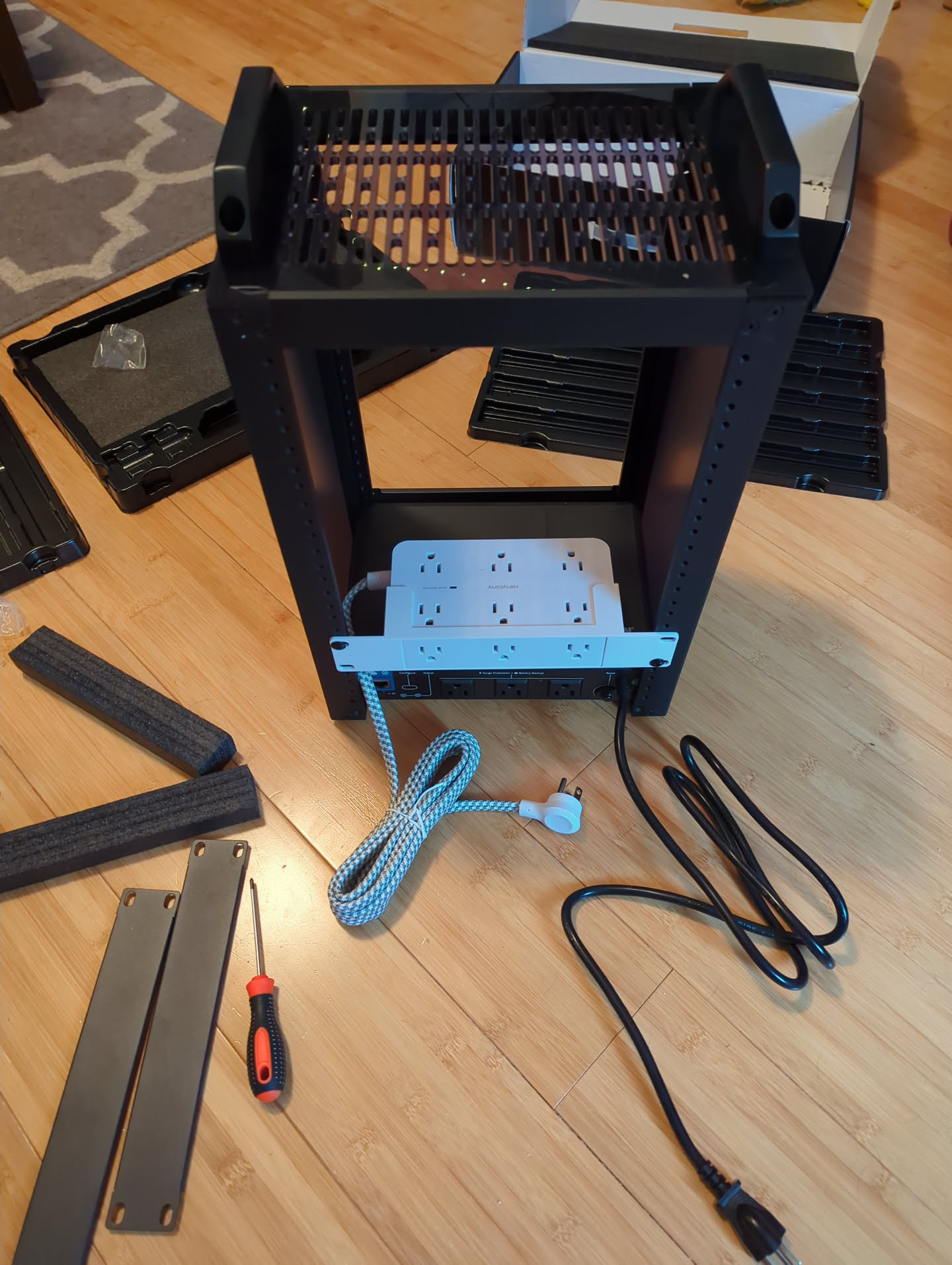
Now I had 3x HP 600 G3 Desktop Minis with 11th Gen Intel Core i5 processors, 16GB of RAM and a 256GB NVME drive installed. I added these network cards to each one and a 1TB 2.5 SATA SSD as well. The SSDs were parts that were around. Ordered the rack, and also a Tripp Lite UPS that someone else had used on r/minilab with this rack so I knew it would fit in the bottom. Added a small PDU to give myself more ports in the back and the rack was off to a good start.
Here is the initial install of the m.2 network cards in place of the factory wifi cards.
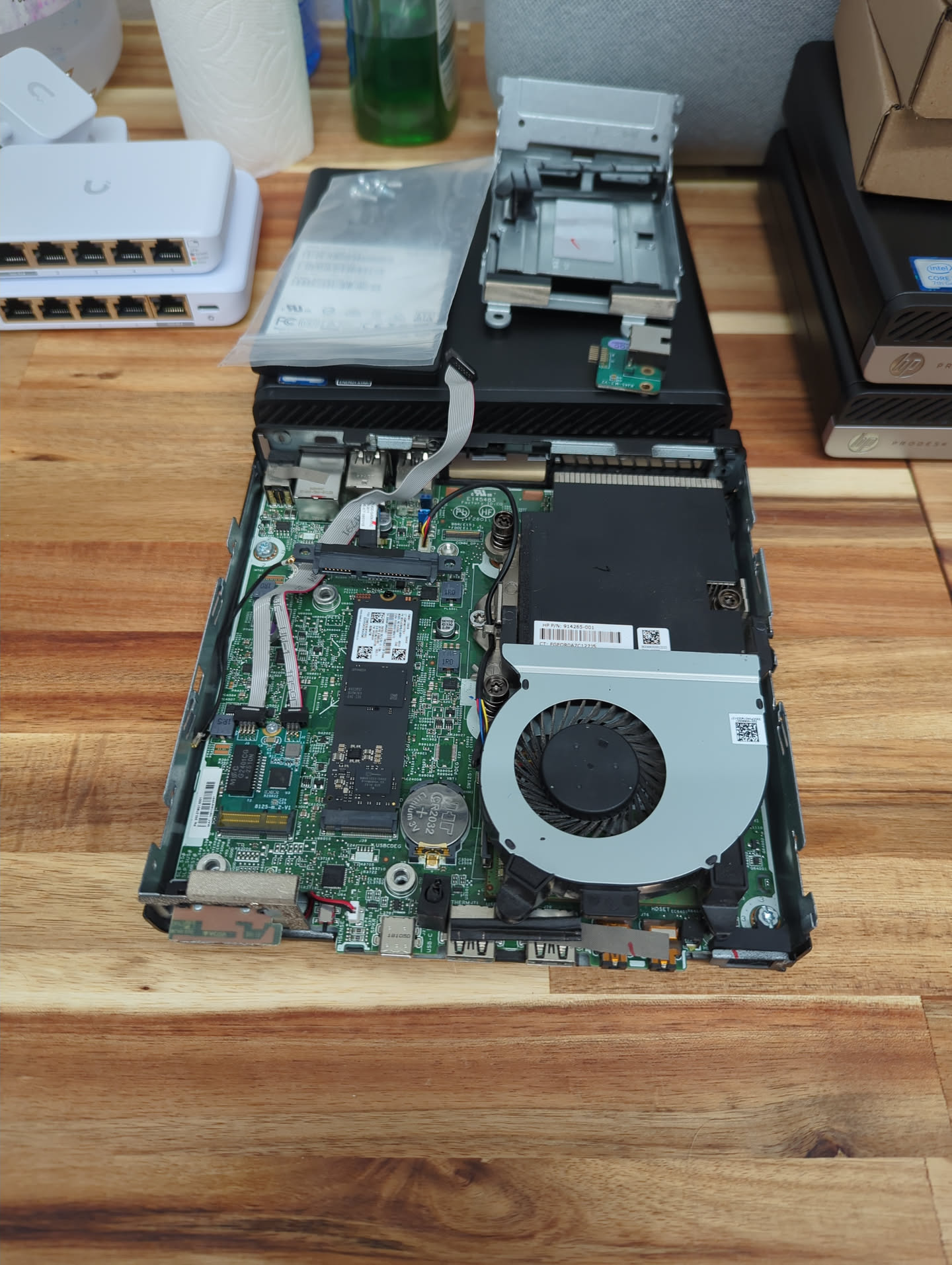
Also seen in the background are the network switches I decided to go with: A 5-port Unifi 1Gb switch, Flex Mini and its slightly bigger brother the 5-port Unifi 2.5Gb switch, Flex Mini 2.5G.
Very much with the help of my friend I was able to get some stuff 3d printed to rack mount these components. Here’s a bit of a breakdown:
This would leave me with some unused space at the bottom of the rack, so we decided to come up with a vent plate featuring my logo to fill the space. Here was some final assembly on the computer mounts.
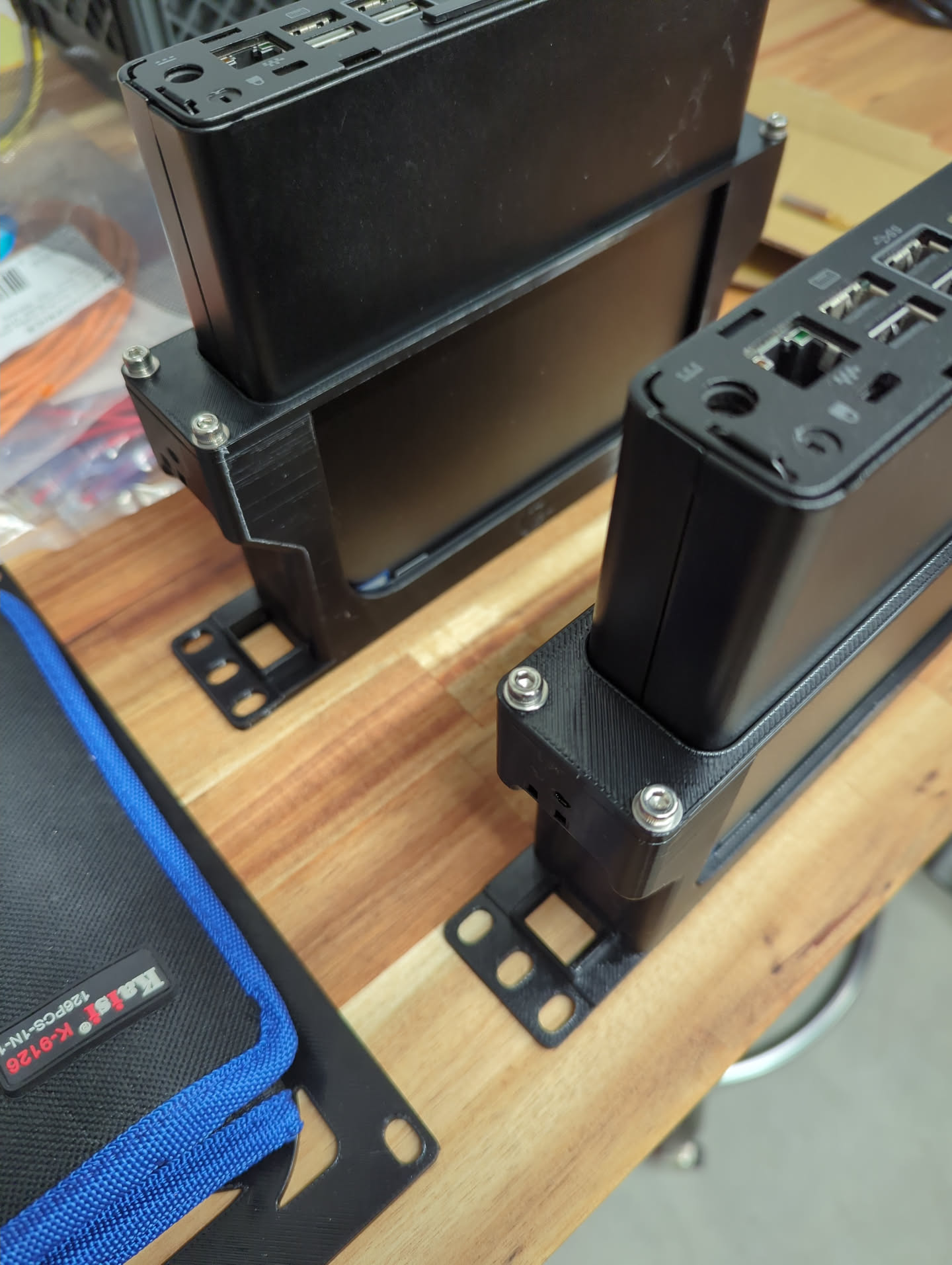

Some test assembly for fitment.
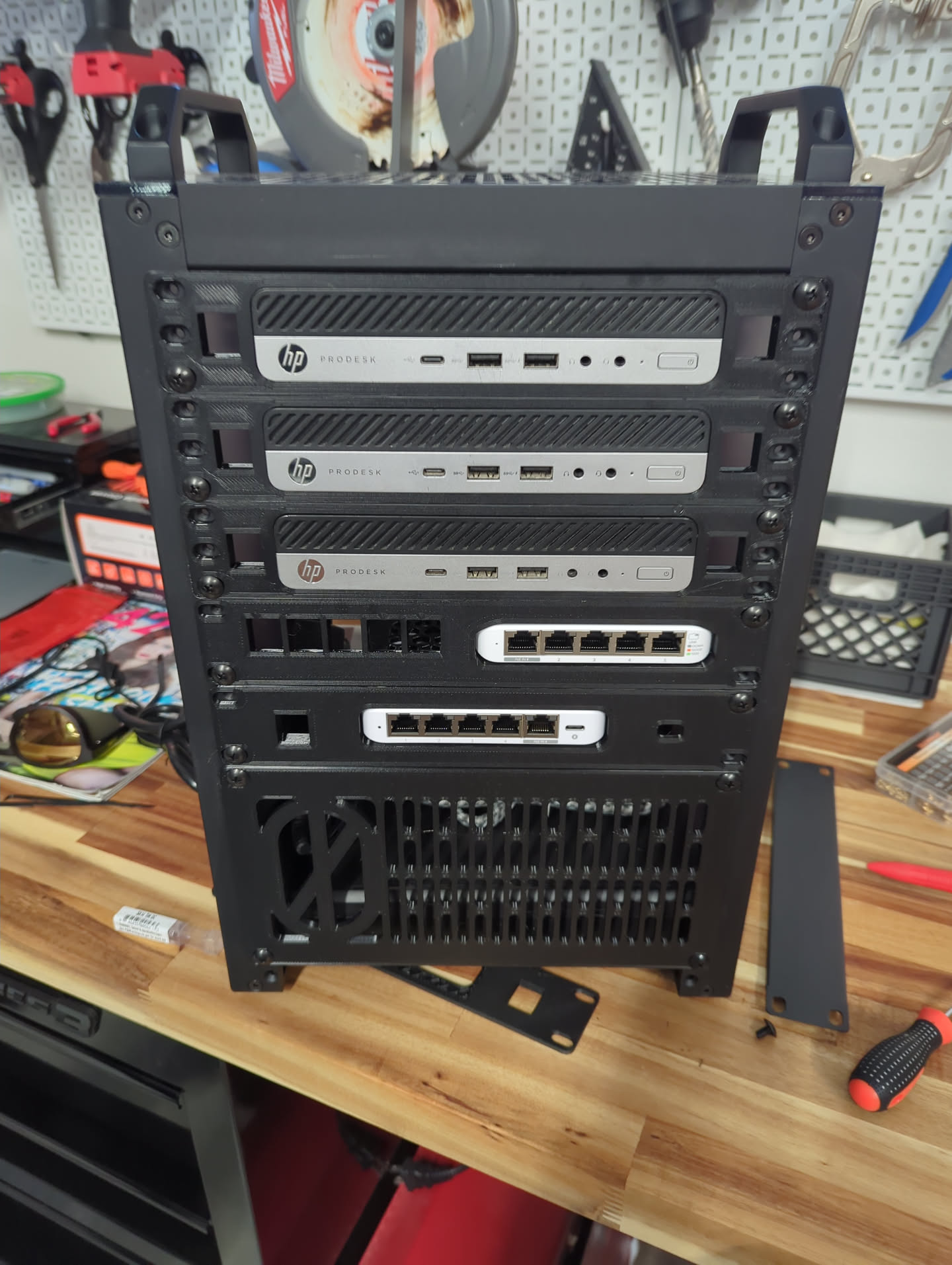
And then the back…we don’t look at the back.
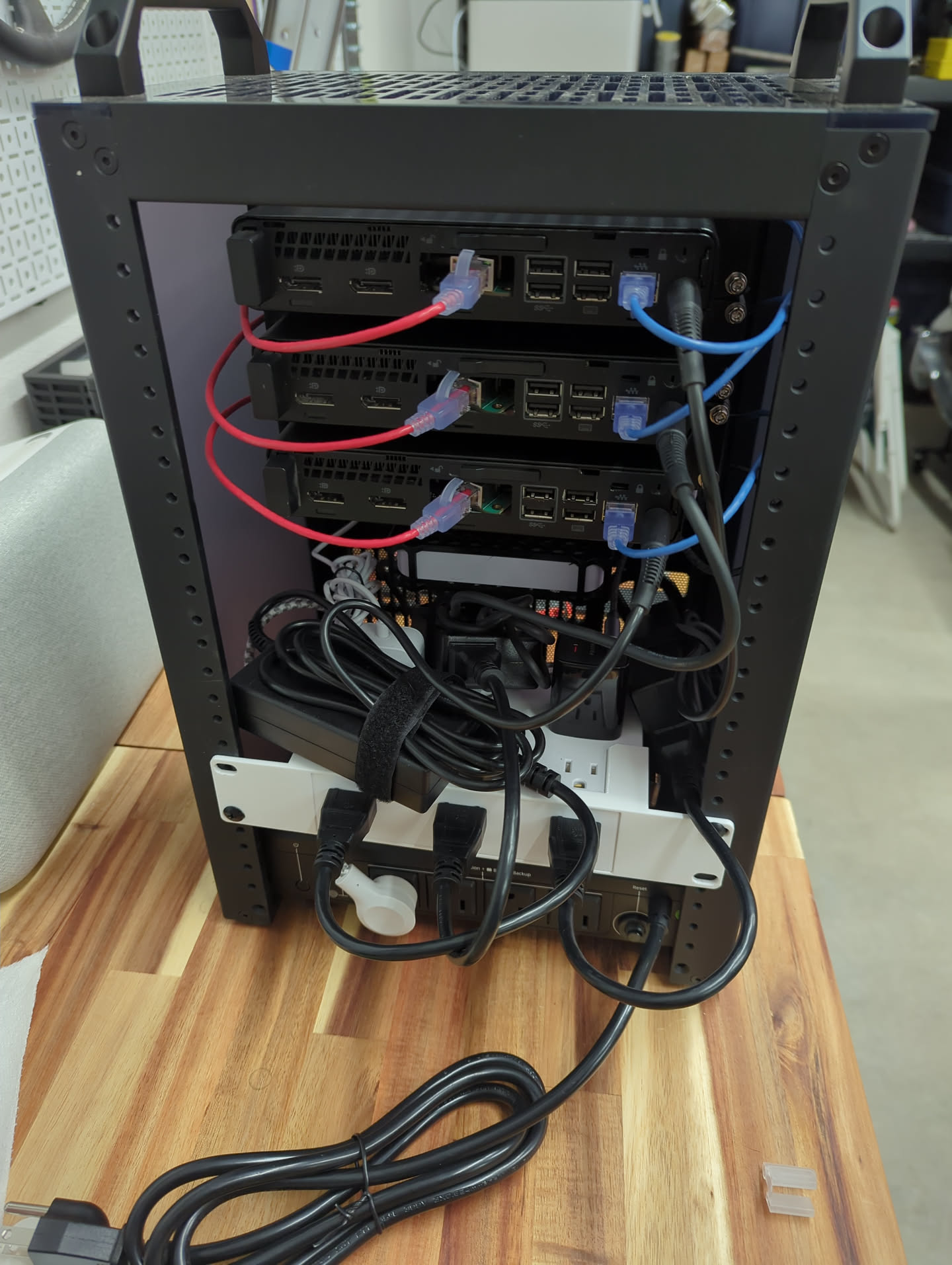
To finish off the filler plate at the bottom I added some wire mesh I found on Amazon that was the perfect fit.
Final fitment test with cabling. Notice that the 1Gb switch got flipped when we realized it was upside down. All the keystone jacks are installed as well.

One of the reasons I went with a 10” mini rack setup was so that it could sit on top of my desk instead of under it.

The red cable is connecting the 1Gb switch back to the rest of my network, and the additional blue cable that’s next to it is feeding in to my Pi-hole sitting on top of the rack.
Each computer got a fresh install of Proxmox v9.1.1 on the internal 256GB NVME drive. I had some problems with the 2.5Gb NICs coming up. Ultimately I removed the 2.5” drive trays so the ribbon cable wasn’t getting smooshed and that seemed to fix it for each computer. Those computer mounts were pretty handy for all of that.
After getting a Proxmox cluster set up I installed ceph on each node, created an OSD on each one, and pretty soon I had an Ubuntu test virtual machine deployed on ceph storage. I had to travel around the holidays and had to step away from the homelab at this point. When I came back and signed in I had a nice warning letting me know that the 2.5” SATA drive in node 1 had failed. Smartctl confirmed.
The culprit:
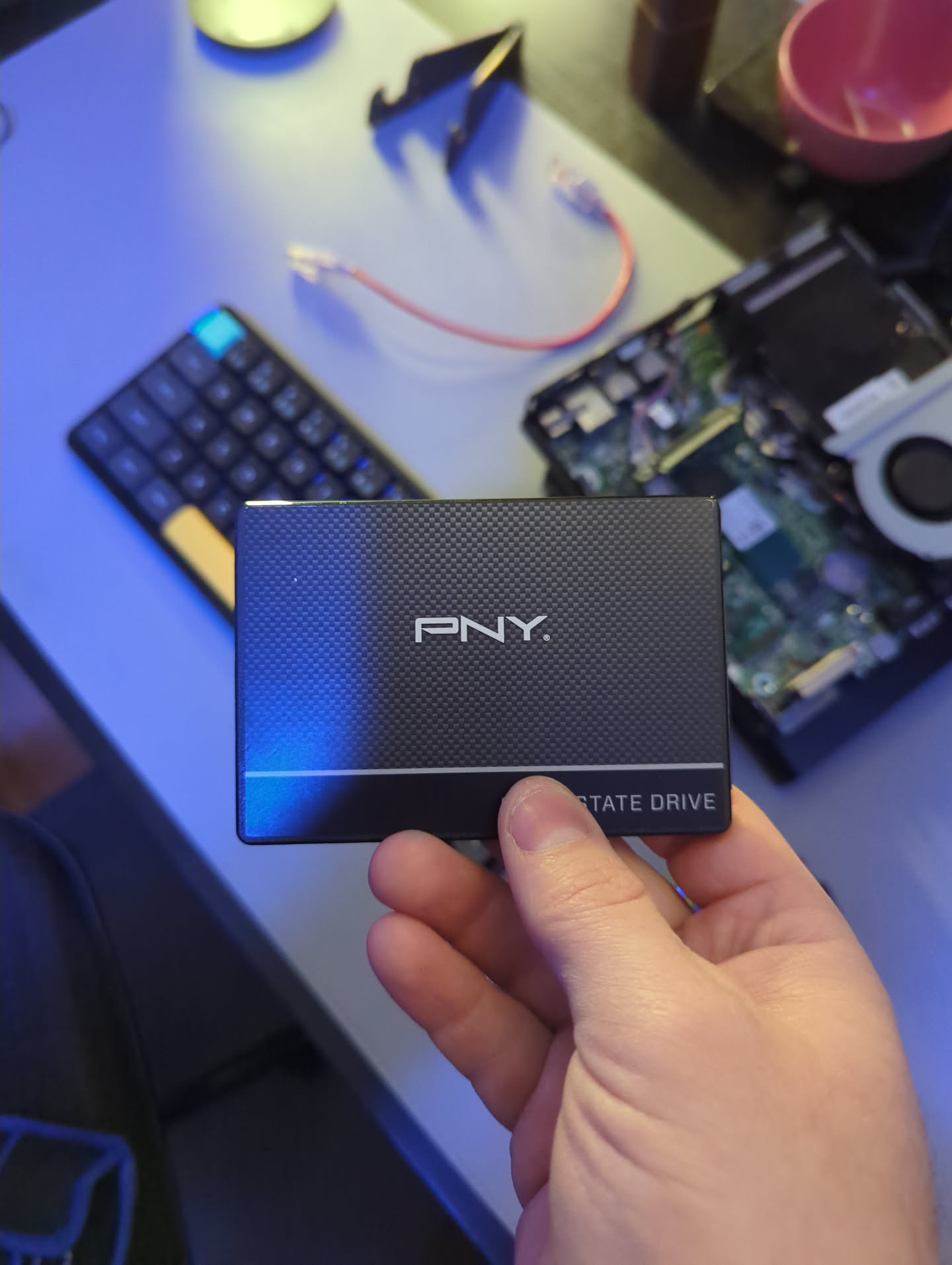
Thankfully I had a 1TB Crucial SSD in my desktop being horribly underutilized for backups. I swapped a 256GB drive I had laying around into the desktop and moved the 1TB drive in to node 1. Created a new ceph OSD on node 1 and within a minute or so replication had repopulated the data on to the new drive.
The Ubuntu VM was still able to boot and didn’t appear any worse for the wear.
Now that I had some time post holidays I got SMTP notifications set up, configured Network UPS Tools (NUT) on each node to make them UPS aware via a NUT server running on my Synology, and tested failover and UPS settings.
As a test I tried migrating an existing VM from my ESXi host to the new Proxmox cluster and it went pretty smoothly. However, for the other things left on my ESXi host I decided to deploy those services as Docker containers in the new rack.
Now I have over a dozen containers running in the homelab with services like Immich, qBittorrent, Nginx Proxy Manager and most importantly Nextcloud. The one remaining constraint seems to be memory. Ceph uses a decent amount of memory on it’s own. Each node idles at about 4GB of RAM with nothing else going on. A single Debian VM with all of the containers on it puts a node at about 80% RAM utilization. Ordinarily I would just upgrade each one of these nodes to 24GB or 32GB of RAM, but with the current pricing it’s not a priority.
This whole project took a handful of months, which was helpful for spreading the cost out. Just about anybody could pick up a used computer at this point and be on their way to a totally viable homelab. The mini rack form factor is nice for space saving and if you’ve got access to a 3d printer the sky is the limit it seems like.
Homelab Homelab / ˈhoʊm.læb / noun A personal IT environment where individuals can experiment, learn and test various technologies. A server (or multipl...
I remember years ago when I first made a bootable Kali thumb drive (‘BackTrack’ back then) with encrypted peristence there was an option to create a sort of ...
Natural Language Passphrases Previously I talked about making small modules as an excuse to practice making tools and focus on making something that works we...
Size Doesn’t Matter When I made my first PowerShell module it was mostly an experiment to see if I could understand how they worked. It was simply tools.psm...
The more time I spend living in the CLI the more I appreciate learning and adopting shorthand for operations. In Powershell the aliases for Where-Object and...
I got the opportunity this week to attend the 2024 Powershell Summit in Bellevue Washington. If you have an opportunity to go to this, whether you’re brand ...
SecretManagement module is a Powershell module intended to make it easier to store and retrieve secrets. The secrets are stored in SecretManagement extens...
With more and more people working remotely there’s been a huge uptick in VPN usage. A lot of organizations have had to completely rethink some of their prev...
Hi all. Just wanted to provide a brief status update. It’s been a while since my last post and while I have been busy, and making frequent use of Powershel...
Getting GPS Coordinates From A Windows Machine Since 2020 a lot of organizations have ended up with a more distributed workforce than they previously had. T...
I was writing a new function today. Oddly enough I was actually re-writing a function today and hadn’t realized it. Let me explain. Story Time About a hal...
I’ve had an itch lately to do something with AES encryption in Powershell. I’ve tossed around the idea of building a password manager in Powershell, but I g...
“If all you have is a hammer, everything looks like a nail” - Abraham Maslow. I use a variation of this quote a lot, and I typically use it in jest, but it’s...
Introduction I’ve had some exposure to Microsoft Defender here and there, but I was in a class with Microsoft recently where they were going over some more f...
In my previous post I explained a bit about some of my justifications for logging in Powershell. My interest in logging has continued since then and I spent...
Everyone has a different use for Powershell. Some people use it for daily administrative tasks at work. Some people are hard at work developing Powershell m...
Early on when I first started using Powershell I was dealing with some firewall logs from a perimeter firewall. They were exported from a SIEM in CSV format...
One of the tools I feel like I’ve been using for years is Netstat. It exists in both Linux and Windows (with some differences) and has similar syntax. It’s ...
A coworker from a neighboring department had an interesting request one day. They wanted a scheduled task to run on a server. Through whatever mechanism the ...
When I first started getting in to Powershell I was working in an IT Security position and was sifting through a lot of “noise” in the SIEM alerts. The main...
“Hello World” and all that. What started as a small conversation turned in to an Idea that I couldn’t shake: I wanted a blog. But I didn’t want a WordPress...